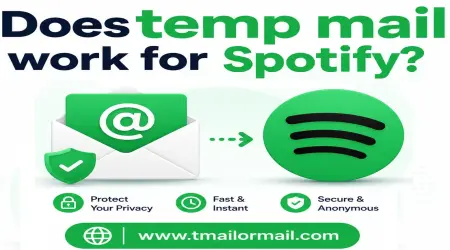
Does temp mail work for Spotify?
A lot of people try to sign up for Spotify without wanting to hand over their real email address. Maybe you just want to try it once, maybe you're setting up a throwaway account to test something, or maybe you simply don't want another streaming service adding to your spam folder. So the question comes up naturally: can you actually use a temporary email address for Spotify, and does it hold up long term?
Here's the honest, practical answer.
Does temp mail work for Spotify?
Yes, in most cases you can create a Spotify account using a temporary email address. Spotify's sign-up process just needs a working inbox to send a verification link to, and a temp mail inbox can usually receive that link without any issue.
So for a quick sign-up, especially if you're testing the app or just want to browse without committing your real email, temp mail generally does the job.
The catch is what happens after the sign-up moment. That's where most of the confusion actually comes from.
How Spotify uses your email address?
Spotify doesn't just use your email once and forget about it. Your email address is tied to your account for as long as it exists. It's used to confirm your identity when you log in from a new device, to send you receipts if you're on a paid plan, to notify you about account changes, and most importantly, to let you get back into your account if you ever forget your password.
In other words, your email isn't just a sign-up formality. It's the recovery key to your entire account.
Verification is a security request
When Spotify sends you a verification email, it's not just a formality either. It's a basic security check to confirm that a real person, with access to a real inbox, is creating this account. This is standard across almost every platform, not something specific to Spotify.
This is exactly the kind of request temp mail was built to handle well, since it usually just needs a one-time link or code, received once, and then never needed again.
Password reset goes to the registered email
Here's where things get more serious. If you ever forget your Spotify password, or if your account gets logged out and needs re-verification, the reset link goes straight to whatever email address is on file. If that address was a temporary one that has since expired or been deleted, there's no way to get that reset link. Your account effectively becomes permanently inaccessible.
This is the single biggest risk of using disposable email for any account you plan to keep, not just Spotify.
If you use a disposable address for Spotify, keep it recoverable
If you do decide to use a temp mail address for a Spotify account you actually want to keep using, the smart move is to pick a temp mail option that lets the inbox stay active for longer, rather than one that auto-deletes within minutes. Some services, including paid or extended temp mail plans, let an inbox stay reachable for hours or days instead of just a few minutes.
Even then, treat it as a short-term bridge rather than a permanent solution. The safest habit is to switch the email on file to something you control long term as soon as you're sure you want to keep the account.
Changing your Spotify email later is simpler than people expect
If you started with a temp mail address and later decide you want to keep your account, Spotify does let you change the email tied to your account through your account settings. It usually asks you to confirm the change through your current email first, so this only works if your temp inbox is still active at the time you make the switch.
This is exactly why timing matters so much. If you wait until your temp inbox has already expired, you'll have no way to confirm the change, and you'll be stuck.
Why Spotify may reject or flag your email?
Not every temp mail address gets accepted without friction. Spotify, like many large platforms, has systems that check whether an email domain is a known disposable email provider. If the domain you're using shows up on these lists, your sign-up might get blocked outright, or your account might get flagged for extra verification later on.
This isn't personal, and it's not a flaw in whichever temp mail service you're using. It's simply how large platforms manage fraud and spam at scale. Well known temp mail domains get checked more often, simply because so many people use them for exactly this reason.
Free vs Premium: where a temp address fits
For a free Spotify account you're using casually, a temp mail address is a reasonable low-risk choice, especially if you're just exploring the platform.
For a Premium subscription, the calculation changes. A paid account usually comes with billing information, receipts, and renewal notifications, all of which depend on that email actually working over time. Losing access to the email tied to a paid subscription can mean losing track of your billing, missing renewal notices, or struggling to cancel properly later. For anything involving payment, it's worth using an email address you know you'll still have access to next month.
What Tmailor cannot do for this Spotify workflow?
To be straightforward about it, Tmailor is built for short, temporary use, and it has real limits here. It cannot guarantee that Spotify will accept the domain without flagging it. It cannot keep an inbox alive indefinitely if you need long term account recovery. And it cannot recover a Spotify account for you if the temp inbox has already expired and you lose access.
Tmailor is a tool for reducing spam and protecting your primary inbox during casual sign-ups, not a permanent email replacement for accounts you plan to rely on long term.
Bottom line
Temp mail works fine for a quick Spotify sign-up, especially if you're just trying the app out or want to avoid spam from a service you're not sure you'll keep. But the moment you decide you actually want to keep the account, especially a paid one, it's worth switching to an email address you control for good. That one habit avoids the single biggest risk here: getting locked out of an account with no way back in.